Rainmeter alternative
A Rainmeter alternative where you describe the widget.
Rainmeter is a toolkit: you install skins, or write them, and the desktop becomes whatever they draw. Kavibay starts from the other end. It ships 31 widgets, and when the one you want is missing you describe it in a sentence and the Widget Wizard builds it — sandboxed, on your machine, against your real accounts.
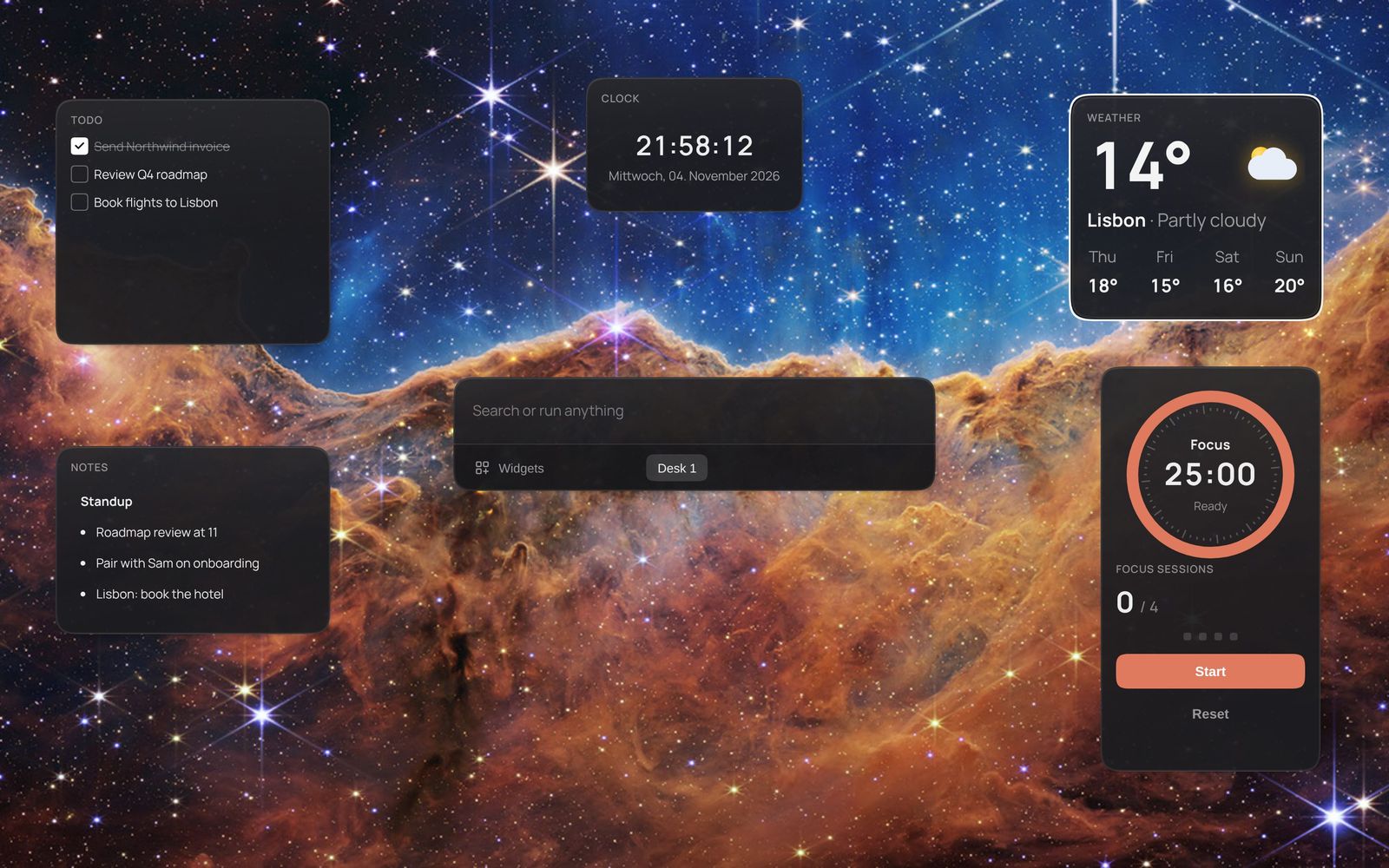
Rainmeter and Kavibay side by side
| Rainmeter | Kavibay | |
|---|---|---|
| Price and license | Free, GPL v2 | Free; core GPL-3.0, SDK and widgets MIT |
| How a widget is made | A skin: .ini files, Lua when it needs logic | Describe it to the Widget Wizard, or write plain HTML and JavaScript |
| Where widgets live | On the desktop, behind your windows | A layer above your windows: double-tap Ctrl to show it; pinned widgets stay visible |
| Accounts and API keys | Up to each skin | Entered once, encrypted with Windows DPAPI, resolved in Rust — a widget never sees the key |
| Code from strangers | Skins can run Lua — install from sources you trust | Packages run in a sandbox: no network except endpoints they declared, no storage except the host's |
| Launcher | — | Fuzzy command palette for apps, files, web search and widgets |
| Library | Thousands of skins, built up over many years | 31 widgets built in, no store yet |
When Rainmeter is the better choice
Be honest about what you want. If it is a desktop you look at all day — a themed wallpaper with system meters, a visualizer, a whole look you download in one go — Rainmeter has years of community skins and is known for being light on resources. Kavibay is at version 0.1: there is no store, no theme gallery, and the builds are not signed yet.
Kavibay is the better fit when the widgets should do something: check off a to-do, control Spotify, show the GitHub Actions run you are waiting for, or read from Linear and Notion — and when you would rather say what you want than learn a skin format.
Describe it instead of skinning it
Open the Widget Wizard from the palette and write what you want — “a tracker for how much water I drink today”. It writes the widget, runs it in a live preview, and takes follow-ups like “add the percentage next to the value”. Save puts it on your desk like any built-in widget.
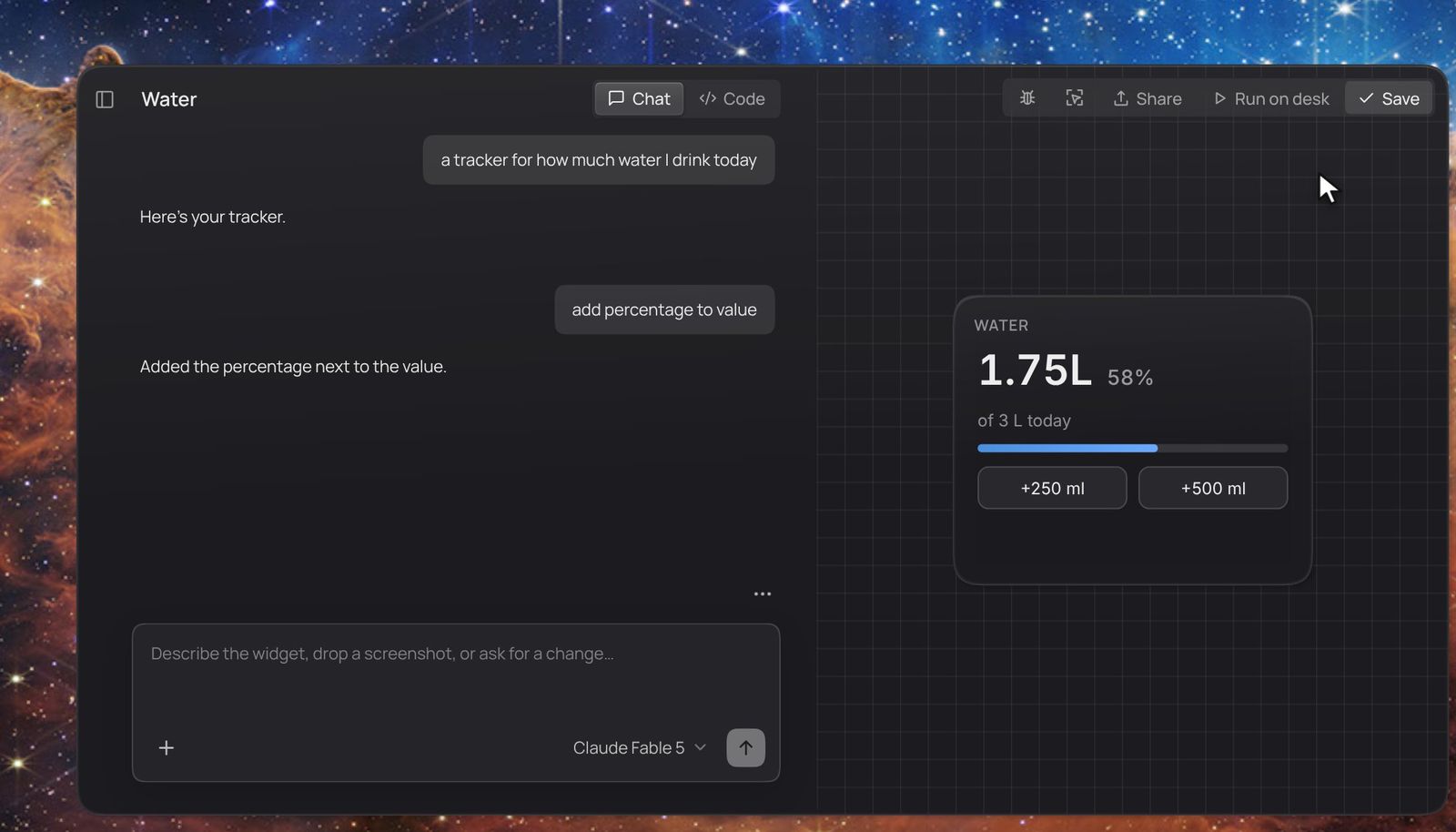
The Wizard uses your own Anthropic or OpenAI key and costs a few cents per widget. Already use Claude Code or Codex? Connect it over Kavibay's local MCP server and build widgets on that client's plan instead — see the docs.
Widgets that use your accounts
Kavibay connects to GitHub, Linear, Notion, n8n, Spotify, tado°, Fitbit and Google Calendar. You enter a key or sign in once in Settings; it is encrypted at rest and attached to requests in Rust. A widget learns only whether it is connected — so a widget the Wizard wrote, or one somebody sent you, cannot read your token.
Coming from Rainmeter
Kavibay does not run Rainmeter skins, and there is no converter. What works: describe what your favourite skin showed — the meters, the layout, the update interval — and let the Wizard build it. Public data without a key (weather, stocks, anything with an open API) a widget can fetch through a declared endpoint; anything that needs a login goes through a connected account.
Questions
Is Kavibay free?
Yes. It is open source, with no account and no subscription. Only the Widget Wizard costs money, paid directly to the model provider whose key you add.
Can I keep widgets on screen all the time?
Yes — pin them. Pinned widgets stay visible above your windows; the rest appear with a double tap of Ctrl, or while you hold Ctrl+Space.
Can I write widgets by hand?
Yes. A widget is a folder with a manifest.json, an HTML file and a script — no build step. The docs cover the format.
Does it run on Windows 10?
Yes, Windows 10 and 11. macOS and Linux ports exist in the source but are not supported in version 0.1.